
FREE DATA FOR STUDENTS
THIS PAGE IS DEDICATED FOR STUDENTS WITH FREE RESOURCES
Product Hunting Sheet
Amazon Customer Invoice
MPL & PL Road Map
Noon Product Hunting Sheet
Here you can Download and edit the Noon Product Hunting Sheet and add your products
Chines Commerical Invoice
Brand Approval Email
Payoneer Support
If you Faceing any issue related Payoneer Let’s suppose not able to login or lost phone and not getting any verification or something else the direct contact their support team by contacting on these emails.
- CustomerCare@payoneer.com
- CustomerServiceManager@Payoneer.com
- Web Form: payoneer.custhelp.com/app/ask/
- International: +1-646-658-3113
- Contact Them And explain the Issue.
Amazon Document Verification Support
If you Faceing issue While Account creation and amaozn is not able to verify your document or missing document then direct contact their support team by contacting on these emails.
- trms-siv-sesunoir-ar@amazon.ae
- trms-siv-sesunoir-ar@amazon.com
- trms-siv-sesunoir-ar@amazon.sa
- trms-siv-sesunoir-ar@amazon.co.uk
Amazon Multiple Accounts Support Team
If you Faceing issue While Account creation and amaozn is Saying that you have multiple Amazon seller accounts then direct contact their support team by contacting on these emails.
- verification-appeal-row@amazon.com
- Contact on this email and explain your Complete issue with attaching your documents as well
Amazon Multiple Accounts Support Team

If you Faceing issue While Account creation and amaozn is Saying that you have multiple Amazon seller accounts then direct contact their support team by contacting on these emails.
- verification-appeal-row@amazon.com
- Contact on this email and explain your Complete issue with attaching your documents as well
Amazon Sellers Operating in the USA Contact Details

Performance Team: seller-performance@amazon.com
Appeals and Policy Violations: seller-performance-policy@amazon.com/ pq-seller-assessment@amazon.com/ pq-sv-appeal@amazon.com/ enforcement-appeals@amazon.com
Seller Fulfilled Prime Account Suspension. sfp-performance@amazon.com
Listing Suspension. pq-policy@amazon.com/ seller-appeals-pq-dispute@amazon.com/ listing-evaluation@amazon.com/ pq-review@amazon.com/ pq-review-lvr@amazon.com/ pq-offer-review@amazon.com
Listing Abuse Team. listings-report-proactive@amazon.com
IP Infringement Notice. notice-dispute@amazon.com/ notice-request-dispute@amazon.com
Restricted Product Suspension. pq-internalreports@amazon.com
Product Safety Concerns. safety-policy@amazon.com
Product Review Moderator. review-seller-appeals@amazon.com
Professional Health Care Program. prohealthcare@amazon.com
“Plan B” Product Approval Requests. mps-review@amazon.com
Funds Queries. payments-funds@amazon.com
Disbursement Queries. disbursement-appeals@amazon.com
Utility Patent Neutral Evaluation Program. patent-evaluation@amazon.com
SFP account freeze. sfp-performance@amazon.com
FBA inventory removal. remove-my-inventory@amazon.com
Reporting a listing violation. listings-report-proactive@amazon.com
Reporting malicious attacks. investigate@amazon.com
Amazon Sellers Operating in the UK Contact Details

Performance Team. seller-performance@amazon.co.uk
Appeals and Policy Violations: seller-performance-policy@amazon.co.uk
EU Start-Up Banking and Payment Accounts. seller-verification-enquiry@amazon.co.uk
UK Plug Problems. seller-performance-ukplugs@amazon.co.uk
IP Right Infringement. notice-dispute@amazon.co.uk/ notice-request-dispute@amazon.co.uk
Disbursement Team. disbursement-appeals@amazon.co.uk
Payment after Account Suspension. payments-investigate@amazon.co.uk
Amazon Sellers Operating in the EU Contact Details

Performance Team in Spain. performance-vendedor@amazon.es
Product Quality Appeals in Spain. politicas-performance-vendedor@amazon.es
IP Infringement Notice in Spain. notice-dispute@amazon.es/ aviso@amazon.es
Payment after Account Suspension. investigacion-pagos@amazon.es
Performance Team in Italy. performance-venditore@amazon.it
Product Quality Appeals in Italy. performance-venditore-politiche-di-condotta@amazon.it
Payment Issues in Italy. revisione-pagamenti@amazon.it
IP Infringement Notice in Italy. notice-dispute@amazon.it/ notifica@amazon.it
Payment after Account Suspension. payments-investigate@amazon.it
Performance Team in France. performance-vendeur@amazon.fr
Product Quality Appeals in France. politique-performance-vendeur@amazon.fr
IP Infringement Notice in France. notice-dispute@amazon.fr/ notification@amazon.fr
Payment after Account Suspension. investigation-amzpayments@amazon.fr
Performance Team in Germany. verkaeufer-performance@amazon.de
Product Quality Appeals in Germany. verkaeufer-performance-richtlinie@amazon.de/ pq-product-review@amazon.de
IP Infringement Notice in Germany. notice-dispute@amazon.de/ mailto:notice-dispute@amazon.de
Payments Issues in Germany. payments-nachforschungen@amazon.de
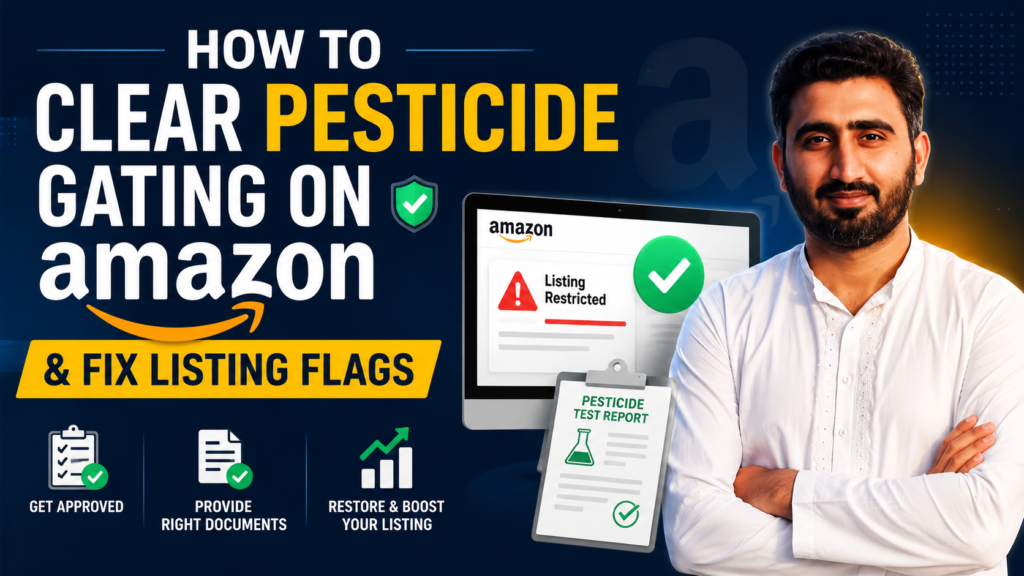
How to Clear Pesticide Gating on Amazon and Fix Listing Flags: Answer Key
What Is Pesticide Gating on Amazon?
Pesticide gating on Amazon is a restriction that prevents certain products from being listed until the seller meets compliance requirements. Sellers must either complete Amazon’s training module or provide regulatory documentation, such as an EPA registration number or proof of exemption.
This gating often occurs automatically when Amazon’s system flags product listings containing keywords associated with pesticides or pesticidal claims, like “sanitizes”, “repels”, or “antimicrobial”. Believe it or not, even items like tweezers or air fresheners can get flagged since Amazon’s system doesn’t always make sense.
How Pesticide Gating on Amazon Impacts Sellers
Although some sellers might think the effects of pesticide gating are minor, it can immediately halt sales, disrupt operations, and create unnecessary stress. If you still think the impact is small, here are the ways it can hurt your business and bottom line.
- Flagged products are removed from search results and the marketplace, stopping all sales.
- Amazon often locks the product page, preventing sellers from removing triggering keywords.
- Products in fulfillment centers continue to accrue storage fees while unsellable.
- Clearing a flag can involve contacting Seller Support, editing listings offline, and re-uploading files.
- Repeated or unaddressed flags can escalate to warnings, temporary suspensions, or permanent bans.
- Time spent troubleshooting and completing compliance steps diverts resources from normal business operations.
Why Sellers Get Flagged for Pesticide Gating on Amazon
There are a variety of reasons why sellers get flagged by Amazon for pesticide gating, and each reason reflects how the system prioritizes compliance over logic. Although the process can seem inconsistent, there are common triggers that repeatedly cause listings to be flagged.
1. Triggering Keywords
Amazon’s algorithms automatically flag listings containing certain words or phrases associated with pesticides, even if the product isn’t actually a pesticide. Keywords like “antimicrobial”, “sanitizes”, or “repels” can trigger a restriction, causing the listing to be suppressed until compliance is verified.
2. Hidden or Backend Keywords
Listings can be flagged because of keywords not visible to customers, such as hidden search terms in the backend or ALT text in images. Even if the visible listing seems safe, these hidden keywords can still cause the gating.
3. Random and Overzealous Automation
Sometimes products with no connection to pesticides are flagged, like tweezers or household items. This happens because Amazon’s automated system errs on the side of caution, creating seemingly random restrictions.
4. Product Claims in Text or Visuals
Claims made anywhere in the listing, including images, packaging, or bullet points, can trigger pesticide gating. Even indirect references to controlling bacteria, mold, or pests can result in the product being flagged.
5. Hostile Categories
Certain categories, like medical, cleaning, or health-related products, are more likely to trigger gating due to stricter compliance monitoring. Sellers in these niches may experience restrictions even when their listings appear fully compliant.
6. Regulatory Compliance Requirements
Amazon enforces U.S. EPA rules for products making pesticidal claims, requiring a registration number or proof of exemption. If a seller cannot provide the necessary documentation, Amazon will prevent the product from being sold until compliance is confirmed.
How to Clear Pesticide Gating on Amazon
Because pesticide gating can halt sales and disrupt operations, it’s important to know the most effective ways to clear the restriction. The solution usually comes down to two main methods: a fast-track compliance test and a long-term listing cleanup.
Method 1: Pass the Compliance Test (Fast-Track Solution)
Once Amazon flags your product, sellers can use this method to quickly lift the restriction and get their listing live again. This approach is the fastest way to comply without spending excessive time disputing the gating.
Step 1: Access the Modules
Log in to Amazon Seller Central and locate the Pesticides Gating compliance modules.
Step 2: Complete the Training
Go through all required modules carefully to understand the material.
Step 3: Use the Answer Key
Since Amazon’s gating can be inconsistent or illogical, using a pre-prepared answer key is often the fastest way to pass.
Module Answers
Module 1
- Question 1: False
Module 2
- Question 1: All but the Bacteria on the Human Hands
- Question 2: Sanitizes
- Question 3: All but Hand Sanitizer
- Question 4: All but Rat Poison
- Question 5: False
- Question 6: 2
Module 3
- Question 1: Ensure that the weed killer has an EPA Registration Number
- Question 2: Producing
Module 4
- Question 1: Nontoxic
- Question 2: All but the image of the pest
- Question 3: It does not list the products active ingredients
Module 5
- Question 1: Any Certified Applicator
Module 6
- Question 1: The label must not make false or misleading claims
Module 7
- Question 1: Wooden Fence post treated with pesticide
- Question 2: All but ‘the statement chemical free”
- Question 3: Repels mosquitos that carry malaria
Module 8
- Question 1: A pesticide intended for sale or distribution in a foreign country
- Question 2: All but “be accompanied by an informational pamphlet” and “be labeled in the language of the country where it was produced”
- Question 3: All but Importing a pesticide that meets FIFRA requirements
Step 4: Submit and Confirm
Once you pass the test, the restriction should lift, allowing your listing to go live again.
Method 2: Listing Cleanup (Prevent Future Flags)
After clearing the initial flag, sellers can use this method to prevent future gating and avoid repeated interruptions. This method ensures the listing stays compliant by removing any content that triggers Amazon’s automated system.
Tip 1: Audit Your Listing
Review titles, bullet points, descriptions, and backend keywords for any terms that might trigger a pesticide flag.
Tip 2: Remove Trigger Words
Eliminate problematic words like “bug”, “insect”, “antimicrobial”, or “sanitizes” from both visible and hidden content.
Tip 3: Check Hidden Content
Inspect ALT text, backend search terms, and other behind-the-scenes fields that might cause a flag.
Tip 4: Maintain Clean Listings
Focus on functional descriptions of the product rather than claims that could be interpreted as pesticidal.